QR codes are everywhere. Your restaurant menu is one. Your hotel WiFi sign is one. That weird little square on your dentist's business card that you definitely haven't scanned? Also one. (It probably just saves their contact info. It's fine. Scan it.)
The point is: QR codes went from "huh, interesting" to "infrastructure" in about a decade. Most people scan several per week without thinking twice about how they work, why some types exist, or why your homemade event poster QR code mysteriously fails every time someone tries it. This guide fixes that — and then some.

What Is a QR Code and How Does It Actually Work?
QR stands for Quick Response — because the inventors (a Japanese company called Denso Wave, back in 1994, originally for tracking car parts) thought that was a fun name. What it actually is: a two-dimensional matrix barcode that stores data as a grid of black and white squares.
Unlike a regular barcode that only goes left-to-right, a QR code works in two directions — which is why it can hold so much more information. A standard QR code can store up to 7,089 numeric characters, 4,296 alphanumeric characters, or 2,953 bytes of binary data. In practice, most QR codes are storing a URL of 50–150 characters, so they're barely breaking a sweat.
The three big squares in the corners are called finder patterns — they tell your phone's camera which way is up (and sideways, and diagonal) so it can be read from any angle. The smaller scattered squares are alignment patterns that help with distortion if the code is curved or scanned at an angle. Everything else is the actual data.
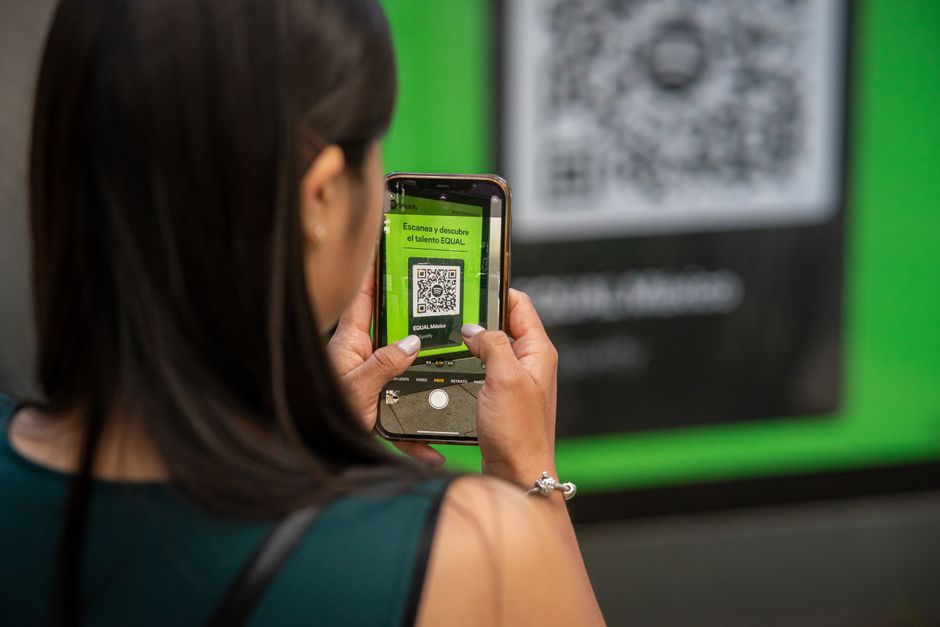
Modern iPhones (iOS 11+) and Android phones (8+) decode QR codes natively through the camera app. No extra app needed. Point, hold steady for half a second, tap the notification. Done.
Every QR Code Type Explained (With When to Actually Use Each)
The type of QR code you generate determines what happens the moment someone scans it. Pick the wrong type and you've got a very fancy-looking square that does nothing useful. Here's a breakdown of all of them:
| Type | What It Does | Best For |
|---|---|---|
| URL | Opens a web page | Menus, landing pages, portfolios, videos |
| WiFi | Joins a network automatically | Cafes, hotels, Airbnbs, offices |
| vCard | Saves contact to address book | Business cards, networking events |
| Opens email app pre-filled | Feedback forms, support links | |
| Phone | Prompts a call | Shop windows, service vehicles |
| Opens/downloads a document | Brochures, manuals, menus | |
| Social Media | Links to a profile or page | Instagram, YouTube, WhatsApp links |
| Plain Text | Displays raw text | Serial numbers, promo codes |
URL QR Code
The most common by a mile. The QR code stores a web address (starting with https://) and your phone opens it in the browser instantly. Use it for any web content: product pages, menus, landing pages, YouTube videos, Google Forms, Instagram profiles, Zoom meeting links — literally anything with a URL. Pro tip: keep URLs under 100 characters for the cleanest, most reliably scannable code.
WiFi QR Code Generator
This one's genuinely life-changing for hospitality businesses. The code stores your network name (SSID), password, and security type. When scanned, iOS and Android automatically offer to join the network — zero password typing, zero squinting at your handwritten "G3st_W!F1" sign. Perfect for coffee shops, hotels, Airbnbs, offices, and event venues. Your guests get connected instantly, and you never have to recite a 20-character WPA2 key to another confused customer.
The password lives inside the QR code. Anyone who scans it gets the password — that's kind of the whole point. For guest networks, great. For your main internal network at a business, consider setting up a separate guest SSID instead.
vCard QR Code (Digital Business Card)
Encodes your name, phone, email, company, and website in vCard 3.0 format. When someone scans it, their phone offers to save the contact directly to their address book. No typing. No "wait let me spell my last name" moments. This is the modern replacement for paper business cards — which, by the way, studies suggest over 80% of people toss within a week. A QR code on your card that auto-saves your info? That one survives.
Email QR Code
Encodes a mailto: link with the recipient address, subject line, and even a pre-filled body. Scan it, and the email app opens ready to send. Useful for printed feedback forms, contact CTAs on flyers, and support links that pre-populate a subject so you know exactly where the inquiry came from.
Phone QR Code
Encodes a tel: link. Scan it, get prompted to call the number. Great for shop windows, business cards, service vans, and anywhere someone might want to call without hunting for a number to type. Always include the country code (e.g. +1 555 000 0000) for anyone scanning internationally.
QR Code for PDF Download
Upload your PDF somewhere accessible (Google Drive, Dropbox, your own server) and generate a URL QR code pointing to the direct download or view link. Use this for product manuals, menus, event programs, brochures, and portfolios. It's cleaner than lugging paper, and you can update the document without reprinting the QR code — as long as the URL stays the same.
Social Media QR Codes (Instagram, YouTube, WhatsApp & More)
There's no special "Instagram QR code" format — these are just URL QR codes pointing to your social profile. But the use case is massive: print your Instagram QR code on your packaging, your window, your business card, your merch. Someone scans it and lands directly on your profile page. Same idea for YouTube channels, WhatsApp chat links (https://wa.me/your-number), LinkedIn, TikTok, or any other platform. One scan, instant follow.
Plain Text QR Code
Stores raw text — no browser, no app, just words on a screen when scanned. Good for promo codes, serial numbers, confirmation codes, or internal tracking labels. The device shows the text and may offer to copy it.

Static vs. Dynamic QR Codes: Which One Do You Actually Need?
This trips people up, so let's make it simple.
Static QR codes have the data baked directly into the code. Change the destination? You need to reprint. But they're free, they never expire, there's no subscription, and they work forever. For most people — especially individuals, small businesses, and anyone not running a large-scale campaign — a static QR code is all you need.
Dynamic QR codes use a redirect URL you control through a dashboard. The code itself points to a short redirect link, and you can update the destination any time without reprinting. They also track scans (location, time, device). The catch: they require a paid subscription to a QR code service, and if that subscription lapses, the redirect dies — meaning your printed codes stop working. (That's a fun surprise to discover after you've printed 10,000 flyers.)
If you're a restaurant, event planner, or marketer printing physical materials that might need updates, dynamic is worth it. For everything else — a URL QR code for your website, a WiFi code for your home, a vCard for your business card — use a free static generator. Ours has no expiration, no sign-up, and nothing is sent to any server.
How to Add a Logo to Your QR Code (Without Breaking It)
Yes, you can put your logo in the center of a QR code. No, it doesn't break it — if you do it right. The trick is error correction level H, which lets the code recover up to 30% of damaged or obscured data. Your logo is essentially treated as "damage" that the code silently corrects around.
The rules:
- Set error correction to H when generating the code.
- Keep your logo covering no more than 20–25% of the total code area.
- Center the logo exactly.
- Always test scan before printing or publishing. This part is non-negotiable. An untested logo QR code is a liability.
Our generator creates clean, high-res PNG and SVG downloads — add the logo overlay in any image editor (Canva, Photoshop, even PowerPoint) after downloading. Then test it. Then test it again on a different phone.
Error Correction: How Bulletproof Is Your QR Code?
QR codes use Reed-Solomon error correction — the same technology behind CDs, DVDs, and signals sent from deep space. It means your code can survive real-world damage and still scan. There are four levels:
| Level | Recovery Capacity | Code Density | Best For |
|---|---|---|---|
| L — Low | Up to 7% | Smallest / simplest | Digital screens, pristine prints |
| M — Medium | Up to 15% | Moderate | General use (recommended default) |
| Q — High | Up to 25% | Larger | Outdoor signs, packaging with wear |
| H — Maximum | Up to 30% | Densest | Logo overlay, harsh environments |
Higher error correction = more complex code = slightly harder to scan in terrible conditions. For most digital use and clean print, Level M is the sweet spot. Use Level H if you're adding a logo or printing somewhere that'll take abuse.
Size and Scanning Distance: The Rule Nobody Tells You
Here's the formula: minimum QR size = 1cm per 10cm of scanning distance. Practically speaking:
- Business card (scanned from ~25cm away): at least 2.5cm square
- Table tent or flyer (scanned from ~40cm): at least 4cm square
- Storefront window (scanned from ~1m away): at least 10cm square
- Billboard (scanned from 5m away): at least 50cm — and honestly, maybe reconsider the billboard QR code
Also: always keep the quiet zone (the white border around the code) intact. It needs to be at least 4 modules wide on all sides. Cropping into the quiet zone is the #1 cause of QR codes that mysteriously fail to scan. Don't do it.
PNG vs. SVG: Which Format Should You Download?
PNG is a raster image — it's made of pixels. Great for web use, email, presentations, and digital display. The catch: if you scale it up too much, it gets blurry. Always download at the largest available resolution if you think you might need to resize later.
SVG is a vector format — it scales infinitely without losing quality. This is what you want for print: business cards, signage, product packaging, anything that goes to a professional printer. If your designer or print shop asks for a vector file, give them the SVG.
For high-resolution QR code PNG downloads for digital use, go large. For print, always SVG.
Where to Use QR Codes: Industry Use Cases
- Restaurants & cafes: Digital menus (bye, laminated card with the mystery stain), table WiFi codes, feedback links, Google review prompts.
- Events: Ticket validation, WiFi for attendees, schedule downloads, speaker LinkedIn profiles.
- Retail & e-commerce: Product information, reorder links, warranty registration, Shopify product pages.
- Real estate: Property listings on for-sale signs linking to photo galleries and virtual tours.
- Small business: Business card vCards, payment QR codes, Instagram/YouTube channel links on packaging.
- Healthcare: Patient intake forms, medication instructions, appointment booking links.
- Marketing: The print-to-digital bridge — magazine ads, direct mail, trade show materials, all trackable.
Generate Your Free QR Code
URL, WiFi, vCard, Email, Phone, or plain text. Download as PNG or SVG. No sign-up, no expiration, nothing sent to our servers.
Open Free QR Code GeneratorTroubleshooting: Why Won't My QR Code Scan?
- Too small: See the size guide above. When in doubt, go bigger.
- Quiet zone cropped: Restore the white border. Every pixel of it.
- Low contrast: Black on white works. Light gray on white does not. If you're using custom colors, make sure foreground and background have enough contrast.
- URL too long: Very long URLs produce very dense codes. Shorten the URL and regenerate.
- Logo too large: If you've overlaid a logo, make sure it covers no more than 20–25% of the code area, and that you generated with Level H error correction.
- Dynamic code subscription lapsed: If you used a paid service and the code stopped working, this is why. Static codes don't have this problem.
Frequently Asked Questions
Do QR codes expire?
Static QR codes never expire — the data is encoded directly in the pattern. If the QR code stores a URL, the link can break if that page gets deleted, but the code itself is permanent. Dynamic QR codes (through paid services) can expire if the subscription lapses. Our generator creates static QR codes: no expiration, no subscription, no catch.
Is the QR code generator really free?
Yes. No account required, no watermarks, no scan limits, no expiration. You generate the code, download the PNG or SVG, and it's yours to use forever — commercially included.
How many characters can a QR code hold?
Up to 4,296 alphanumeric characters at error correction Level L. In practice, keep URLs under 150–200 characters for reliable scanning across all devices. Very long data = very dense, hard-to-scan codes. Use a URL shortener if needed.
Is it safe to scan QR codes?
The code itself is just encoded text — harmless. The risk is the same as clicking any link: if it points to a malicious site, that site can be harmful. Modern phones show a preview URL before opening it. Check the URL, especially for QR codes in unexpected public places (stickers placed over legitimate signs is a real scam tactic).
What's the difference between a QR code generator with logo vs. without?
A logo QR code overlays your brand image in the center. It requires error correction Level H so the code can reconstruct the data your logo obscures. Without a logo, any error correction level works fine and the code is simpler to scan. Both are completely valid — logos just require more care and testing.
Can I generate a bulk QR code for multiple products or links?
Our current generator handles codes one at a time. For bulk QR code generation (dozens or hundreds at once), you'd need a bulk-capable tool or a script using a QR code API. That said, for most personal and small business use cases, one at a time is plenty.