Barcodes are one of those things you interact with dozens of times a day and never think about — until you need to make one. Then suddenly you're staring at a list of formats that all sound vaguely official (Code 128? EAN-13? ITF-14?) and wondering how any of this is supposed to make sense.
Good news: it's not that complicated once someone just explains it plainly. That's this guide. We'll cover every major barcode format, exactly when to use each one, and how to generate barcodes for products, inventory, shipping labels, Amazon FBA, Shopify, and everything in between — as a free PNG or SVG download, no account required.
How Barcodes Actually Work
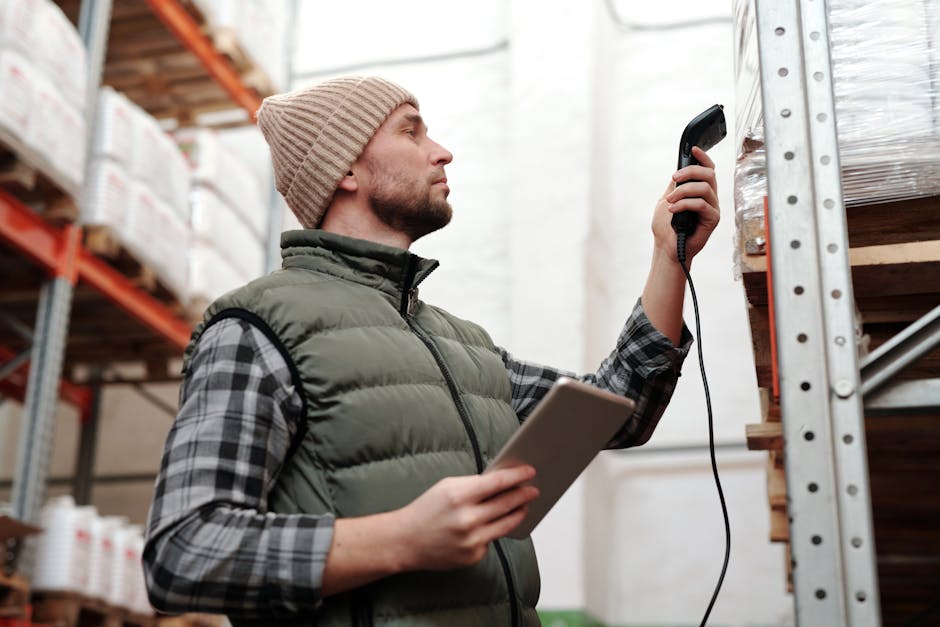
A linear (1D) barcode stores data as a pattern of parallel bars and spaces at varying widths. A scanner — laser or LED — sweeps across those bars, measures the light that bounces back, and translates the pattern into numbers or text. The whole thing happens in a fraction of a second.
Unlike QR codes (which can be read from any angle), linear barcodes need to be scanned roughly perpendicular to the bars. That's why cashiers flip products until the barcode faces the glass — orientation actually matters here.
Fun fact: the first retail barcode scan in history happened in 1974 at a Marsh supermarket in Troy, Ohio. The product? A pack of Wrigley's Juicy Fruit gum. That gum pack now lives in the Smithsonian. No pressure on your product labels.
All the Barcode Formats, Explained Simply
Here's the quick-reference table, then we'll go deeper on each one:
| Format | Characters | Fixed Length | Primary Use |
|---|---|---|---|
| Code 128 | Full ASCII (letters + numbers) | No | Shipping, inventory, general purpose |
| EAN-13 | Digits only | 13 | International retail products |
| UPC-A | Digits only | 12 | US/Canada retail products |
| EAN-8 | Digits only | 8 | Small product packaging |
| Code 39 | A–Z, 0–9, some symbols | No | Military, automotive, asset tags |
| ITF-14 | Digits only | 14 | Shipping cartons, pallets |
| ISBN | Digits only | 13 | Books and publications |
Code 128 — The One That Does Everything
If you don't have a specific format requirement handed to you by a retailer or industry spec, use Code 128. It encodes the full ASCII character set — uppercase, lowercase, numbers, punctuation — at any length. It's compact, widely supported, and there's no registration required.
Use it for: warehouse inventory labels, shipping labels, work orders, employee ID cards, asset tracking, and any internal system where you control both the printing and the scanning. It's also the right pick when you need to generate a barcode from text or convert a number to a barcode without conforming to a retail standard.
Barcode Generator EAN-13 — International Retail
EAN-13 is the 13-digit barcode on virtually every consumer product sold outside North America (and increasingly in North America too). The digits encode a country/company prefix assigned by GS1, a product code, and a check digit.
If you're selling products through international retailers, supermarkets, or any store that checks against the GS1 database, you need a legitimate GS1 company prefix — not a self-generated number. For internal use, testing, prototypes, or Shopify/direct-to-consumer sales where you control the system, freely generated EAN-13 codes work fine.
EAN-13 and UPC barcodes include a check digit — the last number — calculated from the preceding digits. It's how scanners verify they read correctly. Our generator calculates it automatically. If you're entering a number manually into a spreadsheet, get the check digit wrong and nothing will scan.
Barcode Generator UPC — North American Retail
UPC-A is the 12-digit barcode on virtually every product sold in the US and Canada. Structurally, it's basically EAN-13 with a leading zero dropped — which is why modern scanners read both interchangeably. Same GS1 registration rules apply for commercial products.
UPC is what Amazon FBA requires. When you send products to Amazon fulfillment centers, they need a scannable UPC (or EAN) on every unit. If you're a small business or brand registrant, you'll need a GS1 prefix. If you're selling your own product direct-to-consumer on your Shopify store and never touching a major retailer's database, you can generate one freely for internal tracking.
EAN-8 — When Space Is Tight
EAN-8 is the compact version of EAN-13, using only 8 digits. It exists purely because some products are too small to fit a full 13-digit barcode. Think lip balm tubes, small candy bars, matchboxes. If your packaging has room for EAN-13, use EAN-13 — EAN-8 is a last resort for space-constrained labels.
Barcode Generator Code 39 — Industrial & Government
Code 39 handles uppercase letters, digits, and a small set of special characters. It doesn't require a check digit, which made it popular in the 1970s when simplicity mattered. The trade-off: it's bulkier than Code 128 for the same data, taking up more physical space per character.
It's still required by the US Department of Defense, many military logistics systems, and chunks of the automotive supply chain that were built on it decades ago. If someone hands you a spec that says Code 39, use Code 39. Otherwise, Code 128 is the better choice for anything new.
ITF-14 — Cases, Cartons & Pallets
ITF-14 is the barcode on the outside of shipping boxes, not the individual products inside. It encodes exactly 14 digits representing a GTIN-14 — a Global Trade Item Number for a specific case quantity. The thick border (bearer bars) around ITF-14 barcodes isn't decorative — it prevents scanners from false-reading the edges at high speed on conveyor systems.
A single product might have a UPC-A for the retail shelf unit, an EAN-13 for international distribution, and an ITF-14 on the case of 24 units going to the warehouse. All three are registered with GS1 and point to the same product at different levels of the supply chain.
Barcode Generator ISBN — Books & Publications
ISBN-13 barcodes are EAN-13 barcodes with a 978 or 979 prefix, encoding the International Standard Book Number. If you're self-publishing, you'll need to obtain an ISBN from your national ISBN agency (in the US, that's the Library of Congress via Bowker). Once you have the number, you generate the barcode from it. The barcode itself is just an EAN-13 — the ISBN is in the number.
Barcode Generator for Products: Amazon FBA, Shopify & Small Business
Barcode for Amazon FBA
Amazon requires every unit in FBA (Fulfilled by Amazon) to have a scannable barcode — either a manufacturer UPC/EAN or an Amazon-generated FNSKU label. If you have a brand registry and GS1-registered UPCs, use those. If not, you can have Amazon label the products (for a per-unit fee) or print FNSKU labels yourself. The FNSKU is a Code 128 barcode specific to Amazon's system.
Barcode for Shopify Products
Shopify uses barcodes for inventory tracking, point-of-sale scanning, and marketplace listings. You can enter any barcode format in the product barcode field — UPC, EAN, ISBN, or Code 128 for internal SKUs. For POS scanning in your own store, any consistently generated barcode works. For syncing to Google Shopping or other marketplaces, UPC or EAN is expected.
Barcode for Small Business Inventory
Running your own inventory system? Generate Code 128 barcodes from your SKU numbers or product codes. Print them on label sheets (Avery labels work great), stick them on shelves and products, and scan with any Bluetooth barcode scanner into a spreadsheet or inventory app. You don't need GS1 registration for internal systems — just consistency in your numbering.
Barcode Generator with SKU and Price
Many barcode generators (including ours) let you add a text label below the bars — this is where you'd put the SKU number, product name, or price so it's human-readable alongside the machine-readable code. This is especially useful for retail product labels and warehouse shelf tags where staff need to read the label without a scanner handy.

PNG vs SVG: Which Format to Download
PNG — a raster image made of pixels. Fine for digital use, email attachments, on-screen display, and basic printing at the resolution you downloaded. If you're printing small, download at the highest resolution available.
SVG — a vector format that scales to any size without losing quality. This is what professional printers want. If your barcode is going on product packaging, shipping labels, or any print job handled by a print shop, always go SVG. It will look razor-sharp at any size, from a postage-stamp label to a warehouse shelf sign.
For a high-resolution barcode PNG download, go as large as the generator offers. For anything going to print professionally, SVG is non-negotiable.
Print Quality: Why Your Barcode Might Not Scan
The most common reason a perfectly generated barcode fails to scan is a print quality problem, not a generation problem. Here's what GS1 standards actually require:
- Minimum 300 DPI — for retail and logistics labels. Thermal label printers (the kind that print shipping labels) typically run at 203 or 300 DPI. 300 is better. Inkjet at 300 is the absolute floor.
- Black bars, white background — maximum contrast. Dark bars on light (non-white) backgrounds usually work. Light bars on dark backgrounds do not. Red bars almost never scan because most laser scanners use red light.
- Quiet zones — the blank white margin on the left and right of the barcode. Code 128 needs at least 10x the narrow bar width on each side. Cropping into the quiet zone is the #1 print-related scan failure. Don't do it.
- Size — EAN-13 at 100% magnification is about 37mm wide. Most scanners accept 80%–200% of that. Smaller than 80% and you're asking for trouble.
Generate Your Free Barcode
Code 128, EAN-13, UPC-A, EAN-8, Code 39, ITF-14, ISBN. Add label text, customize size. Download as high-resolution PNG or SVG. Free, no sign-up, nothing sent to servers.
Open Free Barcode GeneratorFrequently Asked Questions
What's the best free barcode generator online?
For most personal and small business use, any generator that produces clean, high-resolution PNG and SVG output works. Ours generates Code 128, EAN-13, UPC-A, EAN-8, Code 39, and ITF-14 — all free, no account, no watermarks, no expiration, nothing sent to any server.
What's the difference between EAN-13 and UPC-A?
UPC-A is 12 digits, used in the US and Canada. EAN-13 is 13 digits, used internationally. Structurally, EAN-13 is just UPC-A with a leading zero added — which is why modern scanners read both. For international sales, use EAN-13. For US/Canada-only with space constraints, UPC-A works.
Do I need to buy a barcode to sell products?
For major retailers (Amazon, Walmart, supermarkets) — yes, you need a legitimate GS1 company prefix. They verify against the GS1 database. For your own Shopify store, craft fairs, or internal inventory tracking, freely generated barcodes work fine — no registration needed.
Can I generate a barcode from a number or text?
Yes — that's exactly what a barcode is. Enter your number or text, pick Code 128 (for alphanumeric) or EAN-13/UPC (for digits-only retail formats), and generate. The barcode encodes whatever you put in. For retail formats like EAN-13, our generator automatically calculates the check digit.
What barcode format should I use for warehouse inventory?
Code 128 — no contest. It handles any alphanumeric data, any length, needs no GS1 registration, and is supported by every barcode scanner on the planet. Generate from your SKU numbers and print on label sheets.
Why won't my barcode scan?
Most common causes: printing below 300 DPI, quiet zone (white margin) cropped, barcode too small, low contrast (red or light-colored bars), or content that doesn't match the format (e.g. putting letters into an EAN-13 field). Regenerate, print at 300+ DPI on white paper, and leave at least 3mm of clear white margin on all sides.